Self-hostable, brandable secret-sharing. No third-party storage.
Deadrop is a password pusher replacement you can host on your own infrastructure and brand as your own. Secrets expire after viewing. Nothing is stored long-term.
Teams share passwords over Slack and email constantly. Existing tools like secrets.io are third-party black boxes — you don't know where your secrets live.
Fully self-hosted on Cloudflare Workers + D1. View-once links, TTL-based expiry, and a minimal UI you can skin to match your brand in minutes.
Zero external dependencies. Running as vault.ascendsystems.ai. Any team can fork and deploy their own instance in an afternoon.
TL;DR
Every team I have ever worked with shares passwords and API keys the same way: paste it into Slack, hope nobody scrolls back. The third-party alternatives (secrets.io, password pushers, paste-and-pray utilities) trade one black box for another — your credentials now live on someone else’s infrastructure with retention policies you cannot audit. Deadrop is the tool I wanted to exist instead. It is a self-hostable, zero-knowledge, burn-on-read secret sharing app that runs on Cloudflare Pages for roughly zero dollars a month. The decryption key never leaves the sender’s browser. The server only ever sees ciphertext. Links self-destruct on first view and TTL-expire automatically if nobody opens them. There are two live instances right now — my own at the project’s primary URL and a white-labeled deployment for Ascend Systems at vault.ascendsystems.ai. The codebase is MIT-licensed and any team can fork and deploy their own branded instance in under fifteen minutes.
{{screenshot: deadrop-hero}}
The problem
Sending a database password over Slack leaves a permanent, searchable record. Same with email. Same with Notion, Linear comments, GitHub issues, and every other tool that defaults to durable history. The credential outlives the moment it was needed by months or years. When the engineer who received it leaves the company, the secret is still sitting in their DMs, indexed and recoverable.
The standard mitigation is a “password pusher” — a third-party site that generates a one-time link. The recipient clicks, sees the secret once, and the link dies. This solves the durability problem but introduces a new one: the secret now lives, even if briefly, on infrastructure I do not control. I cannot audit the operator’s logging policy. I cannot confirm their database is actually encrypted at rest. I cannot prove the secret was not read by an admin before the recipient opened the link. For a personal Netflix password this is fine. For production credentials, signing keys, or anything covered by a customer NDA, it is not.
The enterprise answer is a secrets manager — Vault, AWS Secrets Manager, Doppler. These are real solutions for service-to-service secrets. They are also overkill for the actual job, which is “I need to hand this one credential to one human, one time, right now, and never again.”
What is missing is a tool that gets the durability story right (one view, then gone) and the trust story right (the host cannot read the secret even if they wanted to), without requiring the recipient to install anything or hold an account. That is the gap Deadrop fills.
The technical approach
The architecture is deliberately small. There are three pieces and none of them are clever.
Client-side encryption with Web Crypto API. When the sender pastes a secret and clicks generate, the browser does the following: generates a fresh AES-GCM-256 key, generates a 12-byte initialization vector, encrypts the plaintext locally, and base64url-encodes both the ciphertext and the IV. The plaintext never leaves the page. The key is never transmitted to the server. Verified in src/pages/api/secret.ts — the POST handler only accepts a base64url ciphertext (capped at 20 KB) and a 16-character base64url IV. The handler has no codepath that could decrypt because it does not receive the key.
The decryption key lives in the URL fragment. This is the load-bearing detail. The share link looks like https://vault.example.com/s/{uuid}#{base64key}. The portion after the # is the URL fragment. Per RFC 3986 and every HTTP client implementation I have ever read, fragments are stripped before the request is sent — they are a client-side coordinate, not a server resource path. Server logs cannot record what they never received. Cloudflare access logs cannot record it. A WAF rule cannot record it. The key exists only in the recipient’s browser when they paste the link.
Burn-on-read with TTL fallback. Storage is a single Cloudflare KV namespace. Each stored record is the ciphertext, the IV, a view count, a view limit, an expiration timestamp, and a creation timestamp. When a recipient opens the link, the API increments the view count. If the count meets the configured view limit (default one), the entry is deleted from KV immediately — verified in src/pages/api/secret/[id].ts where the burn happens before the response is returned. As a belt-and-braces backup, the original kv.put call also writes with expirationTtl: ttlSeconds. So even if the link is never opened, KV’s own auto-expiry purges the entry on schedule. There is no scheduled cleanup job to forget to run. There is no archive table that quietly retains anything.
Optional passphrase via PBKDF2. The sender can add a passphrase. The recipient must enter it before the secret is revealed. The passphrase is fed through PBKDF2 in the browser to derive a wrapping key — the passphrase itself, like the AES key, never reaches the server. Useful when the share link is going over a less-trusted channel than the passphrase.
Brandable UI without a redeploy. Branding is stored as a separate KV entry (config:brand) and exposed through an admin panel at /admin. Site name, tagline, accent color, domain, support email — all editable through a form on the live deployment, gated by an ADMIN_SECRET environment variable that the operator sets at deploy time. Changes take effect on next page render. No code edit, no rebuild, no CI hop. This was the unlock for the white-label model — a partner can clone the repo, deploy to their own Cloudflare account, set their brand colors through /admin, and have a credentialed-looking product live in under a quarter-hour.
{{screenshot: deadrop-architecture}}
The stack rounds out as Astro 4 in SSR mode for the pages, Cloudflare Pages Functions (which compile from Astro’s API routes and run as Workers under the hood) for the three endpoints, Cloudflare KV for storage, Tailwind plus JetBrains Mono for the look. Cost on the Cloudflare free tier is essentially zero — KV gives 100K reads and 1K writes per day, Pages deployments are unlimited, and a tool that exists to be used briefly and forgotten does not generate enough sustained traffic to threaten those limits.
What I shipped
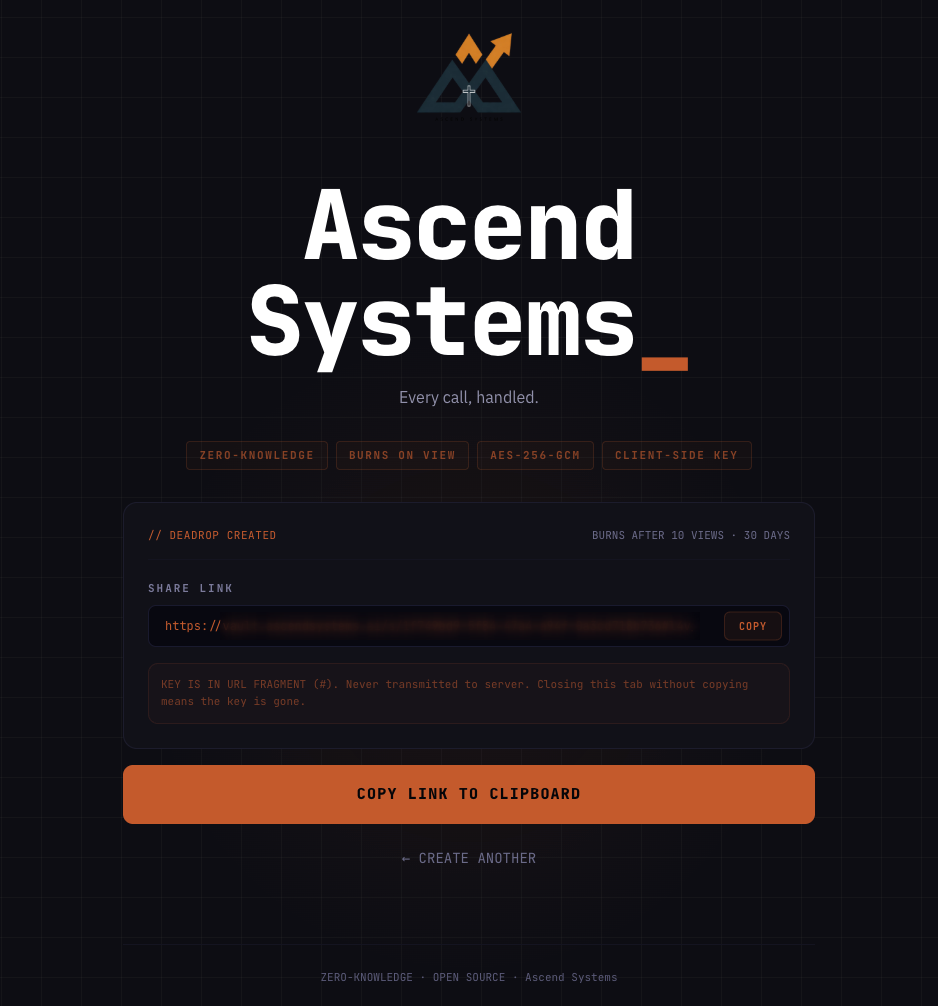
Sender flow. A single page at /. Paste the secret, choose a TTL (5 minutes to 30 days, default 24 hours), pick a view limit (1 to 10, default 1), optionally add a passphrase. Click generate. The page produces a copy-able share link, with the decryption key already embedded in the fragment. The sender never sees a server roundtrip with the plaintext — the network tab shows ciphertext only. {{screenshot: deadrop-create-link}}
Receiver flow. The recipient opens the share link. The page reads the fragment, fetches the ciphertext from /api/secret/{id} (the server burns the entry in the same call), and decrypts in-browser. The plaintext renders with a copy button and a clear “this link is now dead” message. Reloading the page returns “not found or already burned” — verified, the KV entry is gone before the response leaves the worker. {{screenshot: deadrop-view-once-receive}}
Expired and already-burned states. If the link is opened after TTL expiry, or after the view limit is hit, the same not-found state renders. There is no way for the UI to distinguish “this never existed” from “this was already viewed” from “this expired” — and that is the point. No oracle for an attacker scanning UUIDs to confirm a real ID. {{screenshot: deadrop-expired-state}}
Admin and branding. The /admin route gates behind ADMIN_SECRET and exposes a form for the brand fields. Setting accent color repaints the live UI through CSS custom properties. Setting site name and tagline propagates to every page header. Setting domain affects the share link domain shown in the copy-paste affordance on the create page. No build step. {{screenshot: deadrop-branding-config}}
White-label model in practice. The Ascend deployment is a separate Cloudflare Pages project (ascend-vault) with its own KV namespace, pointed at the same GitHub repo. Brand fields are configured through /admin on that instance only. There is no shared database between deployments — each white-label instance is fully isolated, both from a data perspective and a Cloudflare billing perspective. A partner who deploys their own copy never has data sitting on my infrastructure.
Outcome
Two live instances right now: my own at the primary URL and the Ascend Systems deployment at vault.ascendsystems.ai. The Ascend instance is the customer-facing tool — when an Ascend client needs to hand a credential to a developer, the link they get points at vault.ascendsystems.ai and the page they land on is branded as part of the Ascend Systems product surface. From the recipient’s perspective, it is a first-party Ascend tool. From an architecture perspective, it is the same MIT-licensed codebase as everyone else’s deployment, with a different brand config in a different KV namespace.
Operationally the tool has been running for several months now with no incidents, no support tickets, and no recurring cost beyond the Cloudflare account both deployments already needed. Both instances are running on the free tier and the only meaningful operational task is rotating the admin secret occasionally.
The product question I had to settle for myself was whether to push this as a paid SaaS. The answer was no — for a tool whose entire selling point is “you do not have to trust someone else’s infrastructure,” running it as a paid SaaS reintroduces exactly the trust problem it is supposed to solve. Open-sourcing it and making the white-label model trivially easy was the only honest answer. The business value is in the deployments my own clients and partners run on their own accounts, not in a paid hosted version that would defeat the architecture.
Lessons
Self-hosting matters more for security tooling than for anything else. The pitch for self-hosted business software is usually about cost or control. For a credential-sharing tool the pitch is about trust integrity. The whole point of the tool is to remove third parties from a sensitive transaction. If the tool itself is a third party, the user has to take the operator’s word on retention, logging, key handling, and incident response. Open source plus easy self-hosting collapses that whole question — the operator and the user can be the same entity.
Cloudflare KV is the right primitive for this shape of problem. I considered D1, R2, and even Durable Objects before settling on KV. KV’s built-in expirationTtl is exactly the semantics I needed — write a key with a 24-hour TTL and the runtime guarantees it is gone within minutes of expiry, without a cleanup cron, without an audit table, without any code I have to remember to write. The full schema is six fields and one bucket. Most of the time the right tool is the smallest one.
The URL-fragment trick is older than I am and still works. Keeping the decryption key in #fragment is not novel — password pushers have done it for fifteen years. It works because the HTTP spec works and every browser respects the fragment-stripping rule. The temptation when building something like this is to add a layer of cleverness on top — server-side key wrapping, account-bound recipients, audit logs. Every one of those layers is also a new place a secret can leak. The boring version is the safe version.
Domain-aware KV config prevents brand bleed in a white-label model. Early in the build, the brand settings were keyed under a single config:brand entry. When I stood up the Ascend instance pointed at the same code, the first request to either deployment was racing to overwrite the other’s brand config. The fix was scoping the brand config to the deploying domain rather than to a global key — each white-label instance has its own brand entry under its own namespace, and there is no path for one instance’s settings to ever bleed into another. Worth noting if anyone else builds a multi-tenant Workers product on shared KV.
Open source plus white-label is a real distribution model. I did not initially plan for the white-label angle. It emerged because Ascend needed a credentialed-looking secret sharing tool and the cleanest answer was “deploy my repo with your branding.” That pattern — a single codebase that a partner can run on their own infrastructure with their own brand, while the underlying code stays open and improvable — is genuinely good for everyone involved. The partner gets a real product without a build cycle. The maintainer gets a deployment they can point at as proof the architecture works in another context.
What this means for your business
If you run a Charlotte SMB or a services firm that hands credentials to clients — agency handoffs, contractor onboarding, MSP password delivery, anything where a real secret has to move from your team to someone outside it — running a self-hosted Deadrop instance is the right shape of answer. The cost is one afternoon of Cloudflare setup and roughly zero dollars a month after that. The benefit is that you no longer have to explain to a security-conscious customer why their database password is sitting in a third party’s KV store, because it never leaves yours.
For firms whose customers ask about retention policies, key handling, and SOC 2 alignment as part of the sales cycle, having a credential-sharing surface that the firm owns end-to-end is a real differentiator. The codebase is MIT-licensed. The deploy story is documented down to the wrangler commands. If your team wants help standing up a branded instance, the discovery sprint is how that starts. Or run the deploy yourself from the repo.